 Fulton
Your home base for recomps, decomps and remakes
Fulton finds PC ports of classic games, downloads them from their official releases, keeps them updated and launches them. You bring your own ROMs. Fulton does the rest.
Free and open source. Windows 10/11 and Mac (Apple Silicon and Intel).
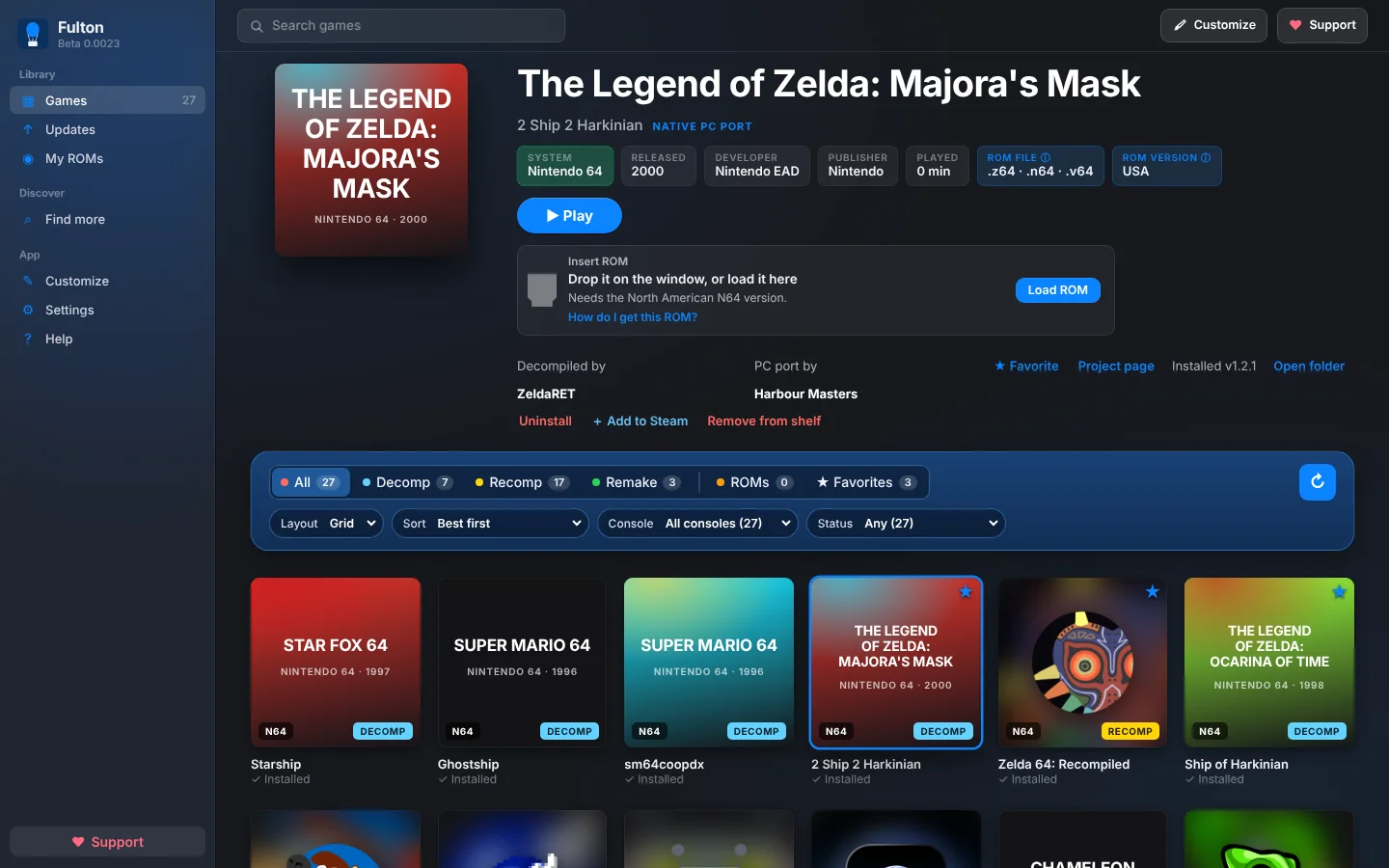
Everything in one place
No hunting through GitHub pages, no unzipping into random folders, no guessing which ROM goes where.
Find more
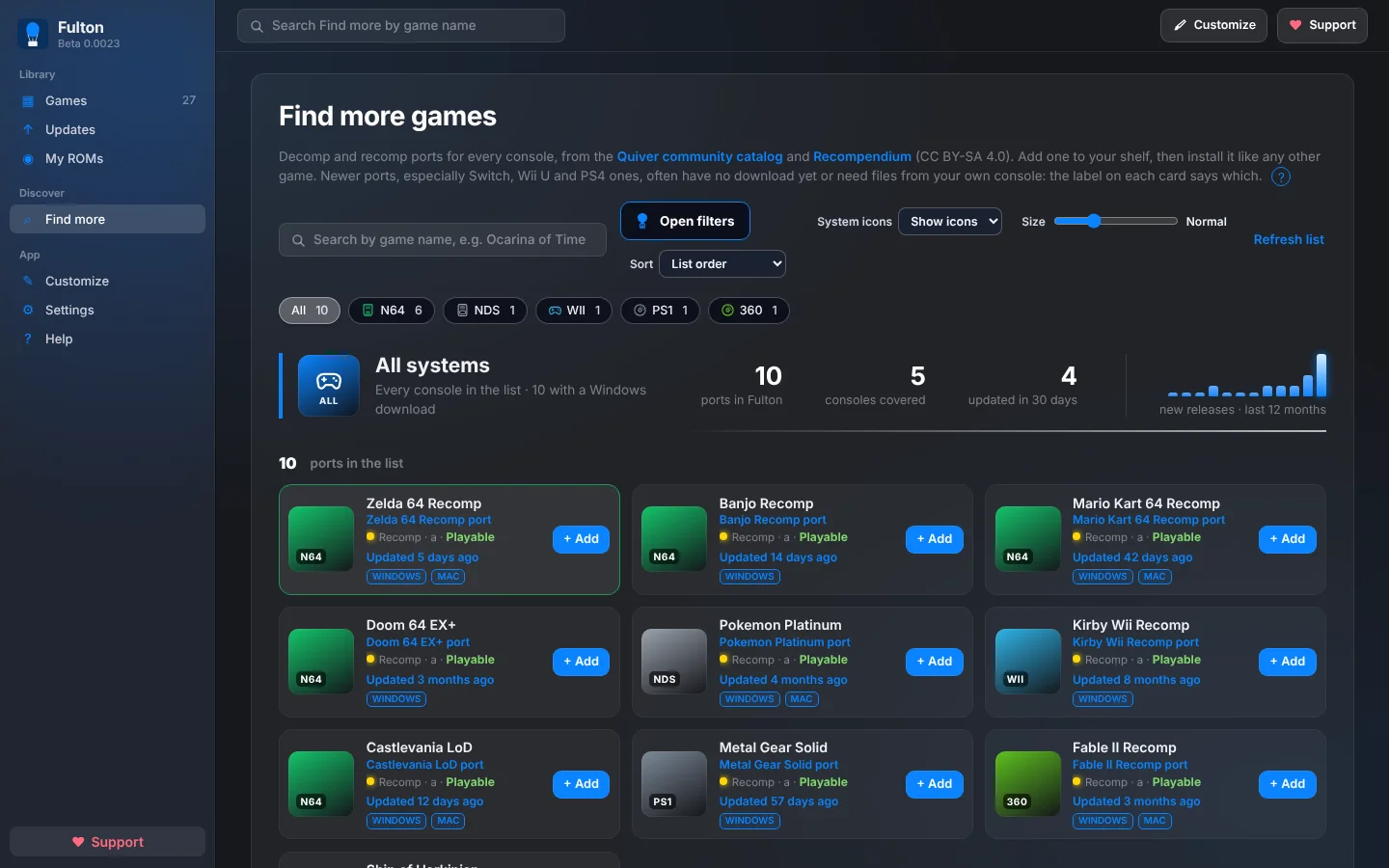
Browse ports for every console, filter by system, type, status and how recently they were updated, and add one to your shelf.
One-click install
Fulton downloads the official release for your computer, installs it and sets it up. Saves are backed up before updates.
ROMs handled for you
Point Fulton at your ROM folders. It recognizes each game and puts the right file where the port expects it.
Stay up to date
An Updates page shows what's new for the games you have. Update one, or update all.
Make it yours
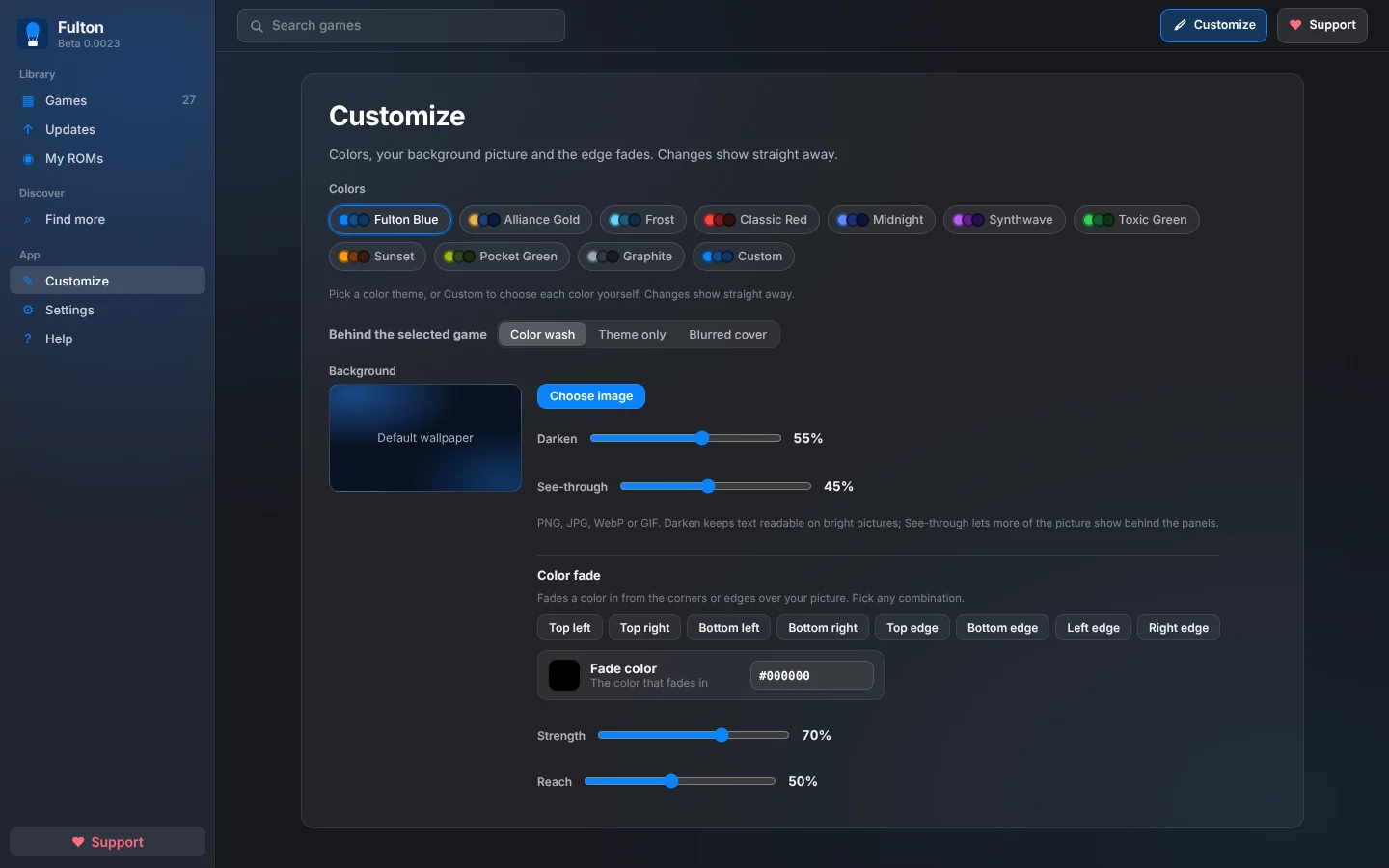
Pick a color theme, use your own background picture and fade the edges. It looks the way you want.
Controller friendly
Move around with a gamepad, and add games to Steam so they show up in your Steam library.
Find ports for every console
From N64 and GameCube to Wii, PlayStation and Xbox 360. See which ports have a Windows or Mac download, and how fresh each one is.
Ports come from the community catalog and Recompendium.
Looks like yours
Choose a theme or build your own, drop in a background picture and fade in color from the corners. Panels follow your colors, so everything matches.
How it works
Four steps, and the last one is playing.
- Add a portOpen Find more and press Add on a game.
- InstallFulton downloads and sets it up from the official release.
- Add your ROMDrop it on the window, or point Fulton at your ROM folder once.
- PlayPress Play. Fulton keeps it updated and backs up your saves.
Download
Fulton is free. Pick your system. Everything is on the project's GitHub releases page.
Windows
Windows 10 or 11, 64-bit. Get the .msi installer or the portable .exe.
Windows may say "Windows protected your PC" because Fulton isn't code-signed yet. Click More info → Run anyway.
Download for WindowsMac
Apple Silicon and Intel. Get the .dmg for your Mac, then drag Fulton to Applications.
The first time, open System Settings → Privacy & Security → Open Anyway. Fulton isn't registered with Apple yet.
Download for MacLinux & Steam Deck coming soon
An AppImage is being tested now. Follow the releases page to get it as soon as it's ready.
Watch releasesQuestions
Does Fulton include games or ROMs?
No. Fulton comes with no games. You bring ROMs from your own copies, and Fulton downloads the ports from their official GitHub releases.
Is it free?
Yes. Fulton is free, and so are the core features. If you enjoy it you can support it on Ko-fi, which helps pay for things like code signing for Windows and Mac.
Which games work?
Decompilation and recompilation ports, and remakes: native PC versions built from the original game's code. Some need ROM files from your own console, and the label on each card says which. Many ports are Windows-only, and Fulton marks the ones without a Mac or Linux download.
Why does Windows or my Mac warn me?
Fulton isn't code-signed yet, because signing costs money every year. The warnings are expected for now. The steps above get you past them, and the project's code is public on GitHub if you want to look.
Where do my files and saves go?
Fulton keeps everything on your computer. It never moves or deletes your ROM files. Saves are backed up before updates and after you play.
Who makes Fulton?
Fulton is designed, tested and maintained by Triwind, a retro gamer of 40+ years. The code was written with the help of an AI assistant (Claude), and every feature, fix and release is decided and tested by Triwind.
Fulton is free, and it's made by one person
If it saves you time, a Ko-fi donation helps keep it going and pays for signing, so Windows and Mac stop showing warnings.
♥ Support Fulton on Ko-fi